
Signaling Setup
info
Signaling setup is automatically configured when using the automatic installation script. In case of errors or invalid configuration into the below mentioned settings, please reconfigure them with correct values as instructed below.
To configure Signaling and related services, log in as an admin and navigate to:
Admin > Settings > Signaling
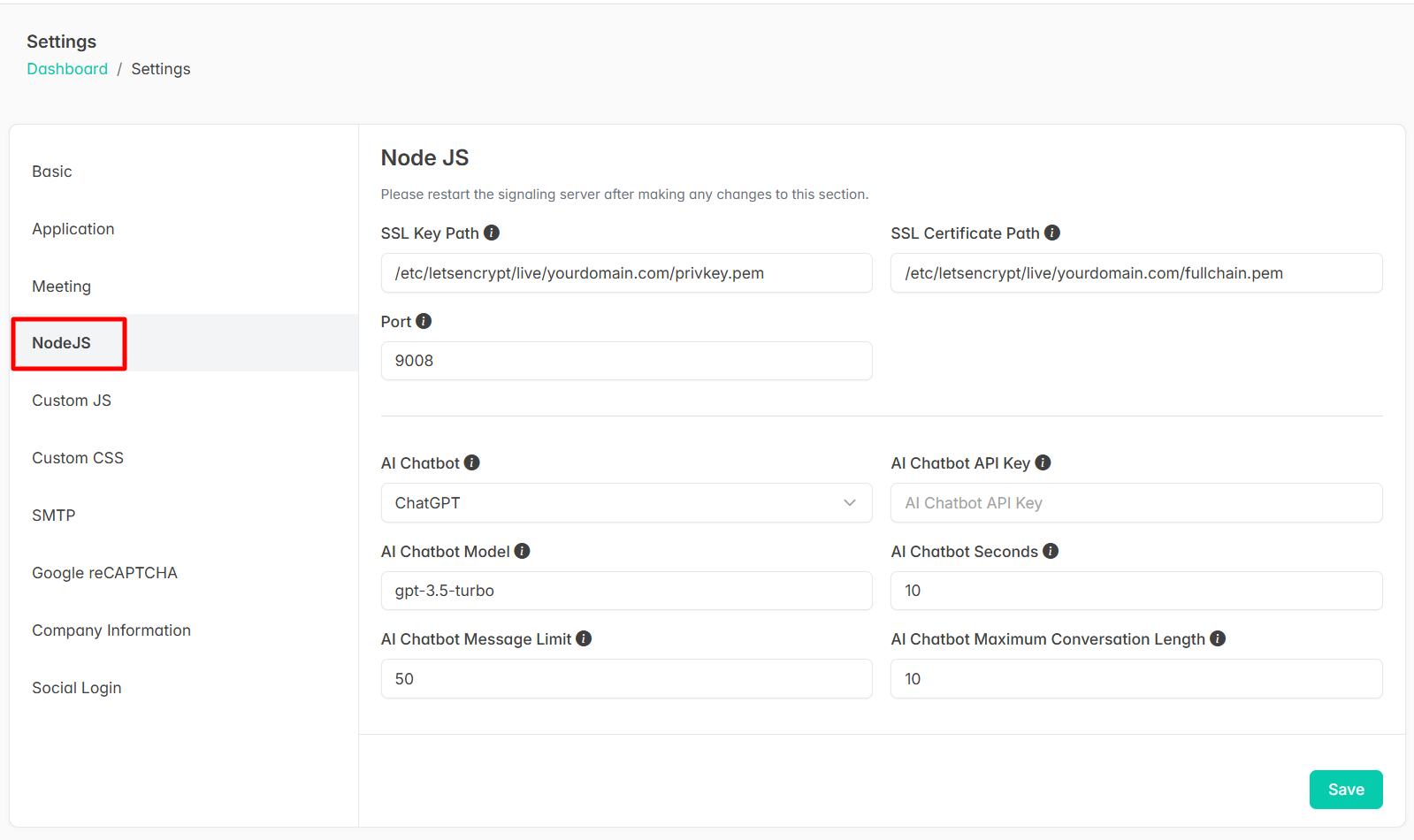
Basic Configuration Fields
- SSL Key Path: Path to your SSL private key file
- SSL Certificate Path: Path to your SSL certificate file